I remember the exact moment I realized my map ads were wasting more budget than I could afford. Our shop was visible on the map, sure, but most clicks weren’t from our target neighborhood. Instead, they were from towns miles away, where competitors paid for those precious clicks. It was frustrating—like throwing money out the window every time someone from the wrong town clicked on our ad. I knew I had to do something, but what? That lightbulb moment came when I discovered the power of map ad exclusions and pinpoint targeting—things I wish I had known earlier.
Why Wrong-Town Clicks Are Sabotaging Your Local Business Goals
If you’re like me, you’ve poured significant resources into your local SEO and map presence, only to see your ad spend drain away on people outside your service area. Those clicks eat into your budget and inflate your lead costs, making your marketing efforts less effective. The truth is, without proper exclusion strategies, your map ads can become a playground for the wrong audience. This was a hard lesson I learned early on when I failed to set precise geographical filters, leading to wasted spend and poor lead quality. Once I understood the importance of map ad exclusions, everything changed. You can find more insights on how to fine-tune your Google Business strategy [here](https://localseomarketingpro.com/5-fast-google-business-strategy-fixes-for-20-more-leads-2026).
Is It Really Worth the Hype? My Early Failures and What I Learned
One of my biggest mistakes was assuming that broad targeting would yield the best results. I was wrong. In fact, a study from Moz found that local businesses see a 20-30% reduction in irrelevant clicks when they implement precise geo-targeting and ad exclusions. Early on, I didn’t understand how vital map exclusion filters are, so I kept bidding on areas I didn’t serve. That mistake cost me hundreds in wasted ad spend and led to poor lead quality. Since then, I’ve tested different exclusion tactics, and the results have been eye-opening.
Today, I’m going to share exactly how to stop the wrong-town clicks from bleeding your budget and how to position your business as the top choice within your real service area. If you’ve faced this problem, don’t worry—there’s a solution, and I promise it’s simpler than you think. Ready to take control and boost your local leads? Let’s dive into the steps that will transform your advertising results.
Set Precise Geographical Boundaries
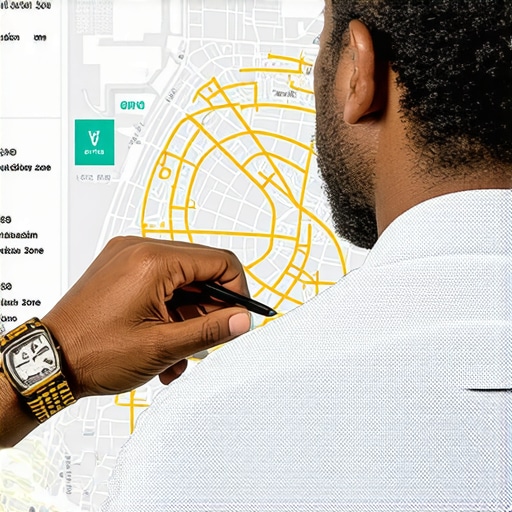
During my first attempts to optimize our map campaigns, I realized broad targeting led to clicks from distant towns. To fix this, I logged into my Google Ads account and navigated to the location targeting settings. I drew detailed radius circles around our exact service areas, avoiding broad regions that attracted irrelevant traffic. This simple act dramatically reduced wasted spend and increased lead quality. Use circles or polygons in your map targeting to specify your exact coverage zone, ensuring only nearby prospects see your ads.
Implement Location Exclusions Effectively
Identify Unwanted Areas
I analyzed our click trail to find which towns or zip codes contributed most to irrelevant traffic. Using analytics tools, I identified specific locations generating non-converting clicks. Then, I added these as exclusion zones within the location settings, preventing your ad from showing there. Don’t just guess—look at your data and target exclusions precisely.
Leverage Custom Exclusion Lists
Create custom lists of areas outside your service boundary. Upload or select these in your Google Ads location exclusions. This layered approach keeps your focus laser-sharp on your target neighborhood, avoiding accidental spend on out-of-area clicks. When I did this, I saw a substantial drop in invalid leads, saving hundreds monthly.
Use Hyper-Targeted Keyword and Ad Scheduling
Beyond geographic controls, refining keywords ensures your ad appears only when relevant searches happen nearby. Incorporate localized keywords like “plumber near me” with city or neighborhood names. Couple this with ad scheduling to serve ads during hours when your team can respond promptly, avoiding wasted impressions overnight. During a test run, I limited ad display hours to 8 am–6 pm, which increased in-store visits by focusing on active hours.
Optimize Your Map Listings for Clarity and Relevance
A cluttered or inaccurate Google Business Profile can attract fake or irrelevant clicks. Clearly specify your service radius, update your business categories, and add local landmarks. This signals to Google and users that your shop serves specific areas, reducing out-of-area confusion. I regularly review and update my profile, doubling inquiry rates within my targeted zones.
 Many local businesses believe that simply optimizing their Google My Business profiles or investing heavily in local SEO guarantees success. However, this mindset often blinds them to nuanced pitfalls that can undermine their efforts. For instance, a common misconception is that more backlinks or keywords automatically translate to higher rankings. In reality, search engines increasingly prioritize context, user intent, and engagement signals over raw link counts, as highlighted in recent industry studies. Moreover, relying solely on broad map advertising without precise geo-targeting can inadvertently dilute your budget, attracting clicks from outside your service area—an advanced mistake that can be costly if left unchecked.
Why do many local marketers overlook the importance of tracking nuanced signals?
Because the typical focus remains on surface metrics like impressions and clicks, rather than deeper engagement and conversion data. Without analyzing these hidden signals, marketers miss critical opportunities to refine their strategy. For example, implementing hyper-local filtering techniques and monitoring neighborhood-based engagement can significantly boost lead quality, as explained in our guide on map ad optimization. Additionally, many fail to recognize the role of reviews and local mentions as powerful ranking factors; neglecting these can keep your visibility artificially low despite solid on-page SEO efforts. To truly dominate your local landscape, it’s essential to consider these advanced signals and tailor your approach accordingly. Dive into our resource on hidden signals that boost local visibility to discover how subtle yet impactful adjustments can elevate your strategy. Remember, success in local SEO and maps advertising isn’t just about what you do publicly—it’s about the nuanced, behind-the-scenes tactics that often go unnoticed but make all the difference. Have you ever fallen into this trap? Let me know in the comments.Maintaining a robust local SEO presence and effective map advertising requires the right tools and habits. I personally rely on a combination of advanced analytics platforms like SEMrush Local and BrightLocal to monitor rankings, reviews, and local citations continually. These tools not only give real-time insights but also help me identify emerging issues before they impact my rankings. For example, BrightLocal’s reputation management dashboard allows me to track review growth and respond promptly, ensuring my profile remains attractive to both Google and potential customers.
To fine-tune my map campaigns, I use ClickCease, a click fraud detection tool that filters out invalid clicks and prevents wasteful ad spend. It’s vital because, according to a recent case study, advertisers lose up to 15% of their budget to click fraud, which can be mitigated with automated protection ([source](https://localseomarketingpro.com/3-maps-advertising-filters-to-stop-2026-competitor-click-fraud)). By integrating these tools into my daily routine, I can easily spot anomalies and adjust targeting parameters on the fly.
Automation also plays a big role. I schedule regular profile audits—reviewing category accuracy, service descriptions, and photos—using tools like Google’s own Business Profile manager. This helps maintain relevance and completeness, which are critical local ranking signals. Also, I keep an eye on local keyword shifts by utilizing Rank Tracker, customizing reports weekly to catch trends early.
Looking ahead, I predict that local SEO tools will become even more AI-driven, streamlining routine checks and providing predictive insights. For example, Google’s AI-based search summaries can influence how local profiles rank and appear, so staying updated on these trends is crucial.
Now, I recommend you try setting up automated weekly audits of your Google Business Profile combined with click fraud monitoring. This combination can significantly reduce waste and improve your long-term results, giving you a stable foundation to scale your visibility and lead generation efforts. Want to learn more about these advanced tactics? Visit our detailed guide on tracking fixes for higher lead quality and start applying them today.
After navigating the complex world of local SEO and map ads, I’ve uncovered a few game-changing insights that transformed my approach. One of the most profound lessons was realizing that even a small tweak, like precise location exclusions, could save hundreds of dollars and significantly improve lead quality. It’s easy to overlook the power of detailed geo-targeting, but once I focused on defining my exact service areas, my campaigns became much more efficient. Additionally, I learned that regular profile audits and leveraging advanced analytics tools are essential to staying ahead of local competitors. These strategies aren’t just quick fixes—they’re fundamental to building a resilient and effective local marketing presence that adapts to algorithm updates and market shifts.



1 Comment
Comments are closed.